
How to Register
Create your account using an email address you can access.
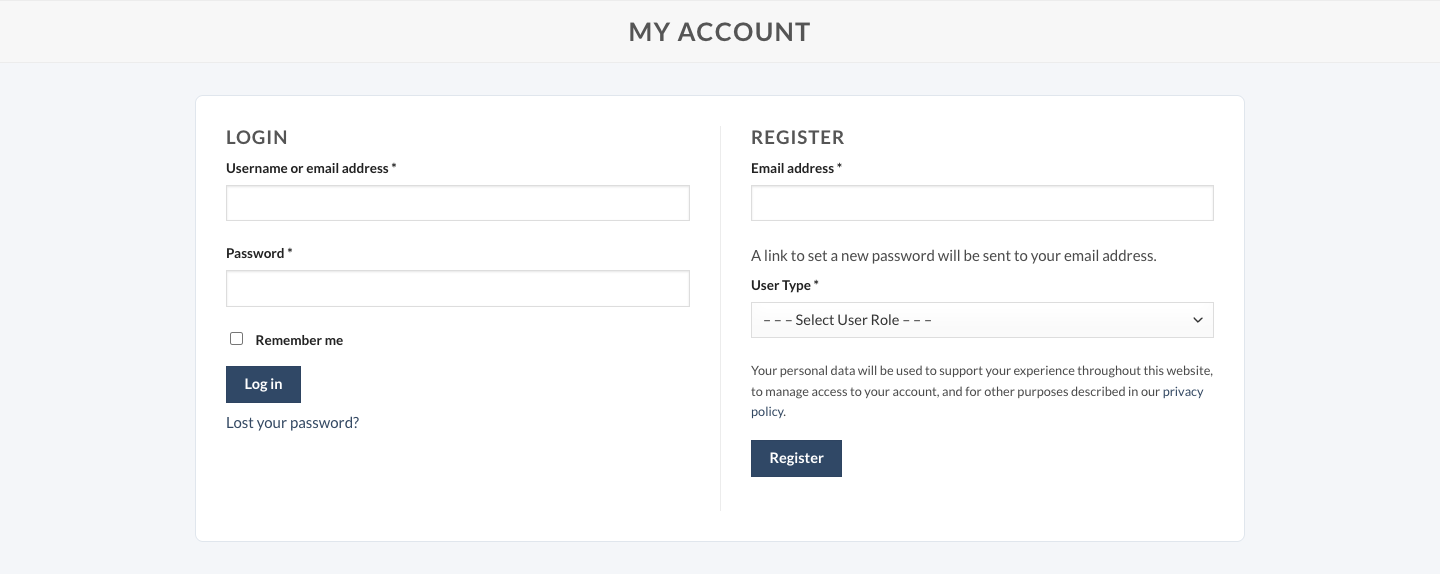
- Open My account. Select “Sign in” in the header, then use the Register section. On a phone, scroll below the login form.
- Enter your email address and select User Type. Choose Individual Customer or B2B (requires approval). Complete any additional fields displayed for your selected type.
- Review the Privacy Policy and select Register. Follow any validation messages shown on the form.
- Set your password. The registration form states that a password-setting link will be sent to your email address. Check your inbox and spam folder, and follow the link to set a password.
- Return to sign in. Use your email address and password. B2B access is subject to approval; contact our team if you need assistance.
Your welcome benefits
Eligible new accounts receive four coupons with a combined value of $130, valid for 30 days from registration. These are separate coupons with minimum spend requirements, not $130 off one order. See Discount and Coupons for eligibility and usage rules.
Need help?
If your email is already registered, sign in or use the password reset link. If a setup email does not arrive, check spam and contact info@globalcapsupply.com. Never send your password to our team.